

Ad-hoc questions & recontact
Ask a panel one open question directly and keep talking to individual respondents.
Sometimes you just want a quick answer. An ad-hoc question asks a whole panel one single open question, straight from the chat. You get the answers grouped into themes and can keep talking to individual respondents.
Ad-hoc question or study?
| Ad-hoc question | Study | |
|---|---|---|
| Questions | exactly one open question | as many as you need, including scale and choice questions |
| Stimuli and KPIs | no | yes |
| Result | themes and individual answers on the card | report that Iris builds from the answers |
| Who sees it | everyone in the project | everyone in the project |
| Price | same as a survey run with one question: participants ÷ 15 credits | by participants, questions and panel type |
Asking a question
- Tell Iris in the chat what you want to ask the panel, for example: "Ask the panel Parents of children aged 4–12: What do you look for when buying sun lotion for your children?"
- Iris prepares the Ad-hoc question card. Its title is your question, next to it is Ask this question?. The card shows the Audience with panel type and version, Participants, Price, your available credits and the Estimated duration.
- Check the question. The survey runs in German: if you write the question in English, theconsumer.ai translates it automatically at launch, as for a study (see Languages). The card shows your original text.
- Click Ask or Cancel. The price is on the card under Price. If it has changed in the meantime, nothing is asked yet: the card says The price has changed: … instead of … and the button then reads Ask for … Credits. A second click confirms the new price.
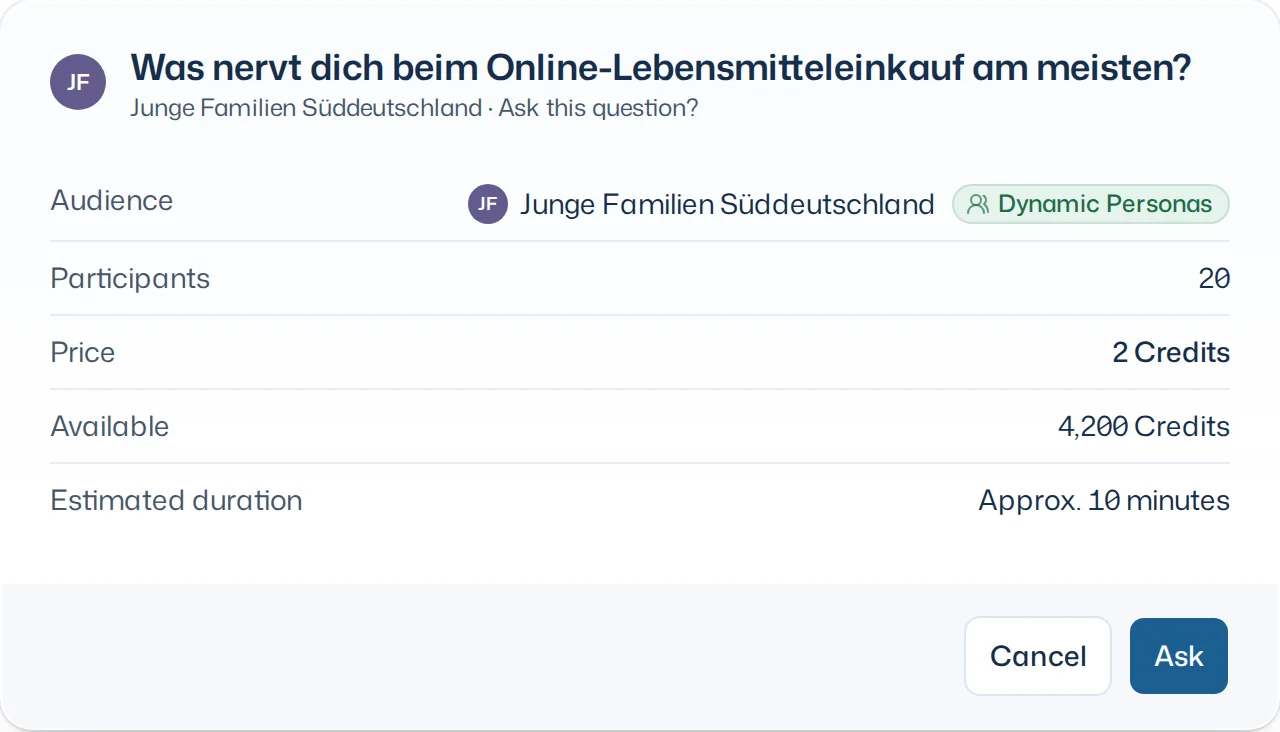
The whole panel answers. An ad-hoc question counts like a survey run with one question: participants ÷ 15 credits, ten times that with Premium Twins. 100 Dynamic Personas cost 6.67 credits; the card shows 7 credits rounded up, 6.67 is charged. More in Pricing and credits.
Good to know:
- An ad-hoc question can't show images yet. If you send one along, Iris asks whether to ask without it.
- Respondents don't remember earlier questions. Every new ad-hoc question goes to the whole panel again. To follow up with one person, use recontact.
Progress and result
After the launch, the card shows Survey running and the progress, for example 12 of 20 asked. You don't have to wait. Once all answers are in, Iris reports back in the chat and the card shows the result.
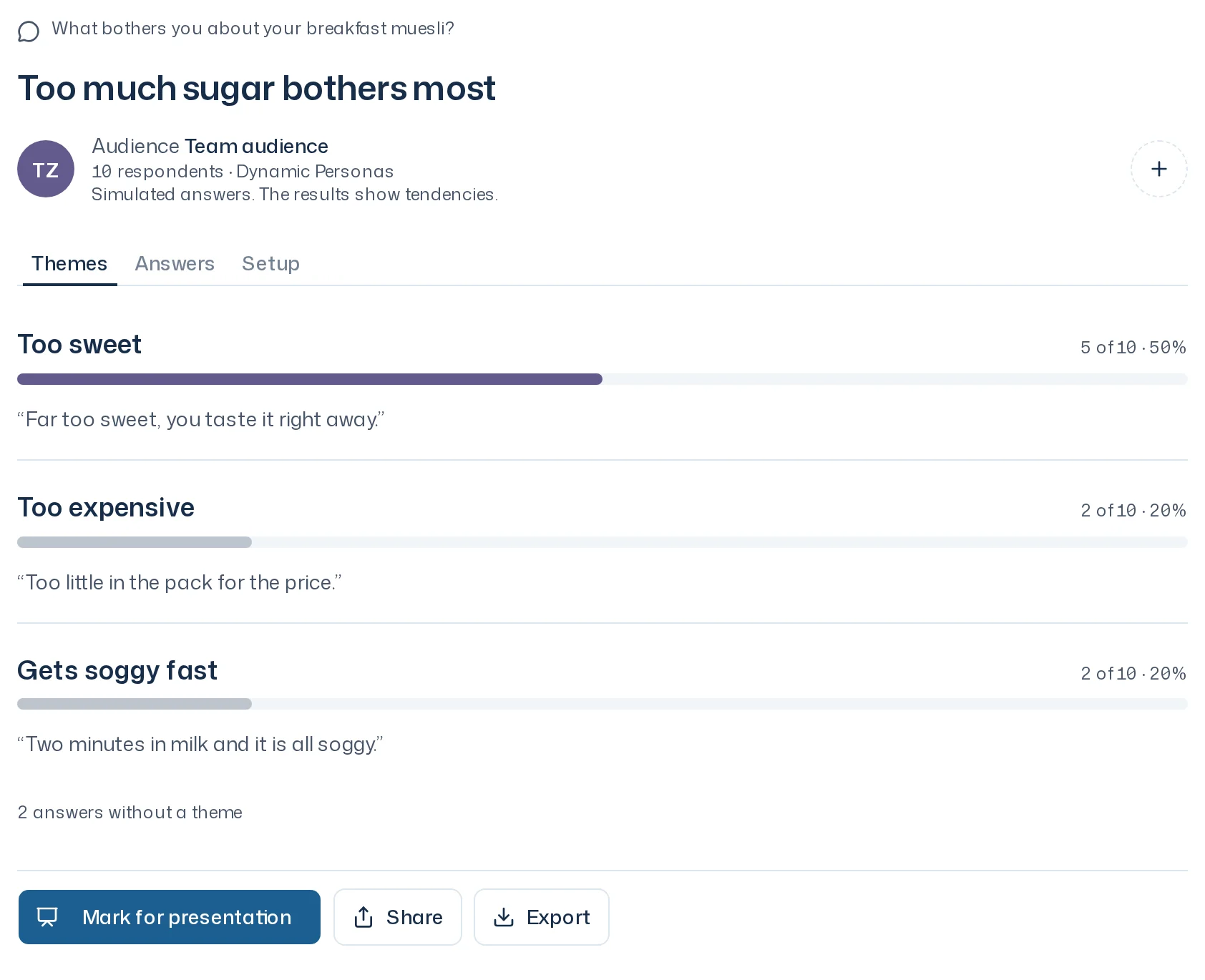
- Themes: the answers are grouped into themes, each with a count and share, such as 8 of 20 · 40%. While this runs, the card says Forming themes. Answers that fit no theme are counted as 3 answers without a theme.
- If more than 20% of the answers could not be collected for technical reasons, the platform forms no themes and shows Too many failed answers for themes.
- Open results shows the question in the Dock. There, Details expands all themes and the Respondents area. Pick a person there to see their profile, their answer and, under Conversation, the interviewer's follow-up questions.
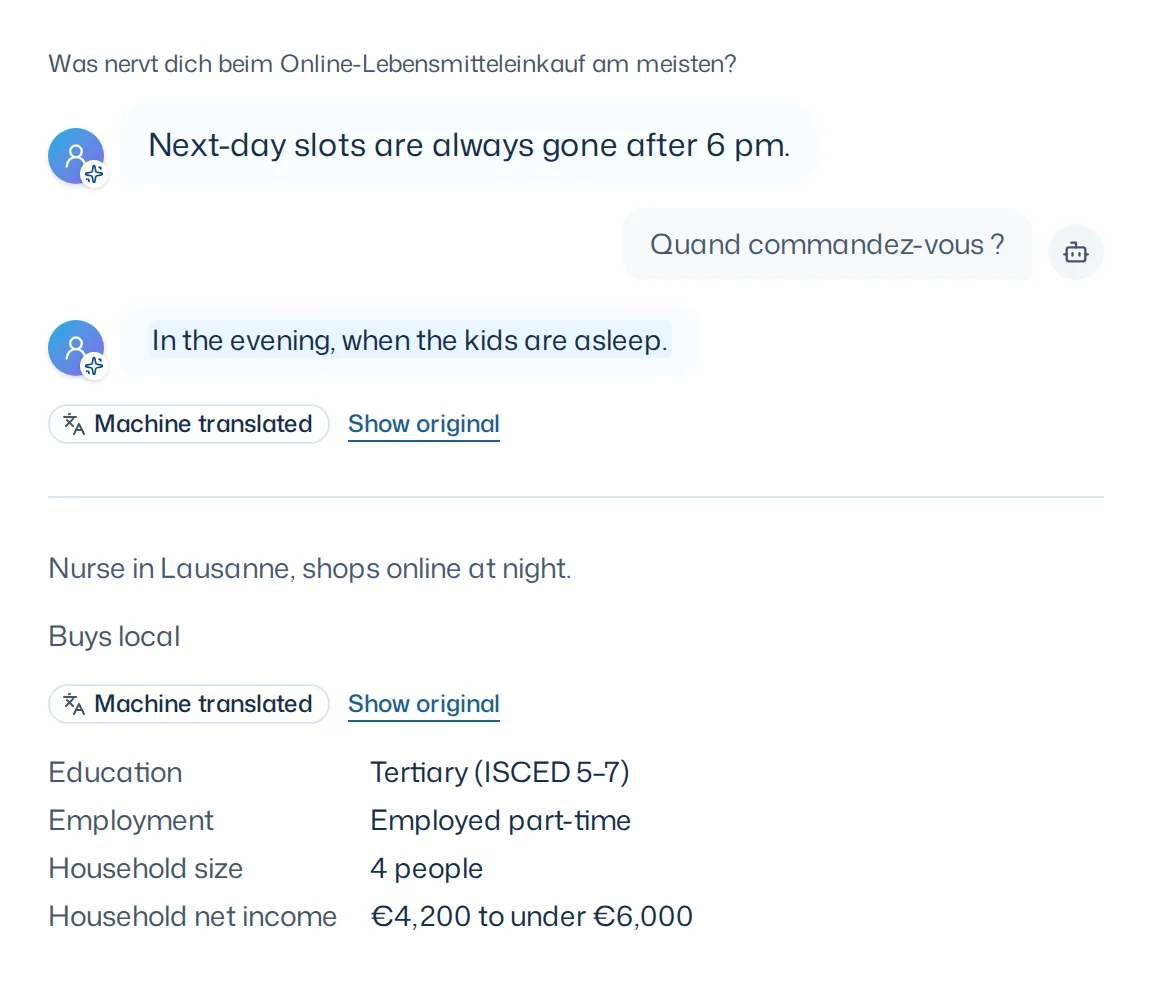
- If a person answered in a language other than your app language, you see their answer and short bio translated, with the note Machine translated. Show original shows the wording, Show translation switches back. While the translation is still missing, the original shows with Being translated. The interviewer's follow-up questions stay in the original.
If an update in the Dock fails temporarily, the platform retries once automatically. The visible answers and themes, selected person and your recontact draft stay in place during the retry. If the second attempt also fails, select Retry to load again.
To sort the answers more finely or together with another survey run of the same question, ask Iris for a theme list. More in Analysis in the chat.
Ad-hoc questions trigger no bell notification and no report. If the survey fails, the card shows Survey failed. Credits are refunded under the same rules as for a study, see Problems & refunds.
Recontact
Recontact lets you keep talking to one respondent, for example to dig deeper into an answer.
- Open the question in the Dock with Open results, expand the Respondents area with Details and pick the person.
- Under Recontact, write into Message to the respondent and click Send.
- The person replies with their original answer in mind, in German like the survey.
Recontact is free. You can write up to 30 messages per person. Once five or fewer are left, the card shows the count below the input field, for example 5 messages left. After that it reads Recontact ended · 30 of 30 messages.
Recontacts are private and feed into nothing: not into the themes, not into a report and not into later questions. Iris doesn't read them either. To test a hunch from a conversation, ask the whole panel a new ad-hoc question.
Finding ad-hoc questions again
- In the chat where you asked, and in every chat of the same project: the Research overview shows one Ad-hoc question card under Ad-hoc questions after launch. Open the card or Open results in the chat to see the same answers and themes. Sources opens the question's exact audience version; Back restores the question, its expanded details and the selected respondent, also after a reload or on a narrow screen.
- On the project page under Ad-hoc questions. A click shows the result on a page of its own.
An ad-hoc question lies in the project of the chat it was asked in. Everyone who sees the project sees the question and its answers. Only the person who asked the question in their chat can recontact respondents. If an integration asks, the question lies in the project the integration names.
Turning a question into a study
An ad-hoc question doesn't turn into a study itself. If you want a report or more questions, ask Iris to prepare a study based on the question. Iris then creates a new study with the same panel, which you launch and pay for like any study. The ad-hoc question stays unchanged.