

Threads
Pin, rename and archive conversations, and use the queue.
Every conversation with Iris is a thread. It keeps together everything that came out of it: your questions, the cards, the study in the Dock and the result message. Threads are private. Your colleagues can't see them, but they do see the designs, panels and launched studies that come out of them.
Finding threads
- Last thread: the home page shows your most recently active thread with Continue.
- Threads tab: all your threads with their study status, a preview and the last activity. Pinned threads sit at the top under Pinned, the rest under Today, This week and Older. Search threads finds a thread by its name, More threads loads older ones.
- Search with
⌘K: type a few letters of the name and jump straight into the thread.
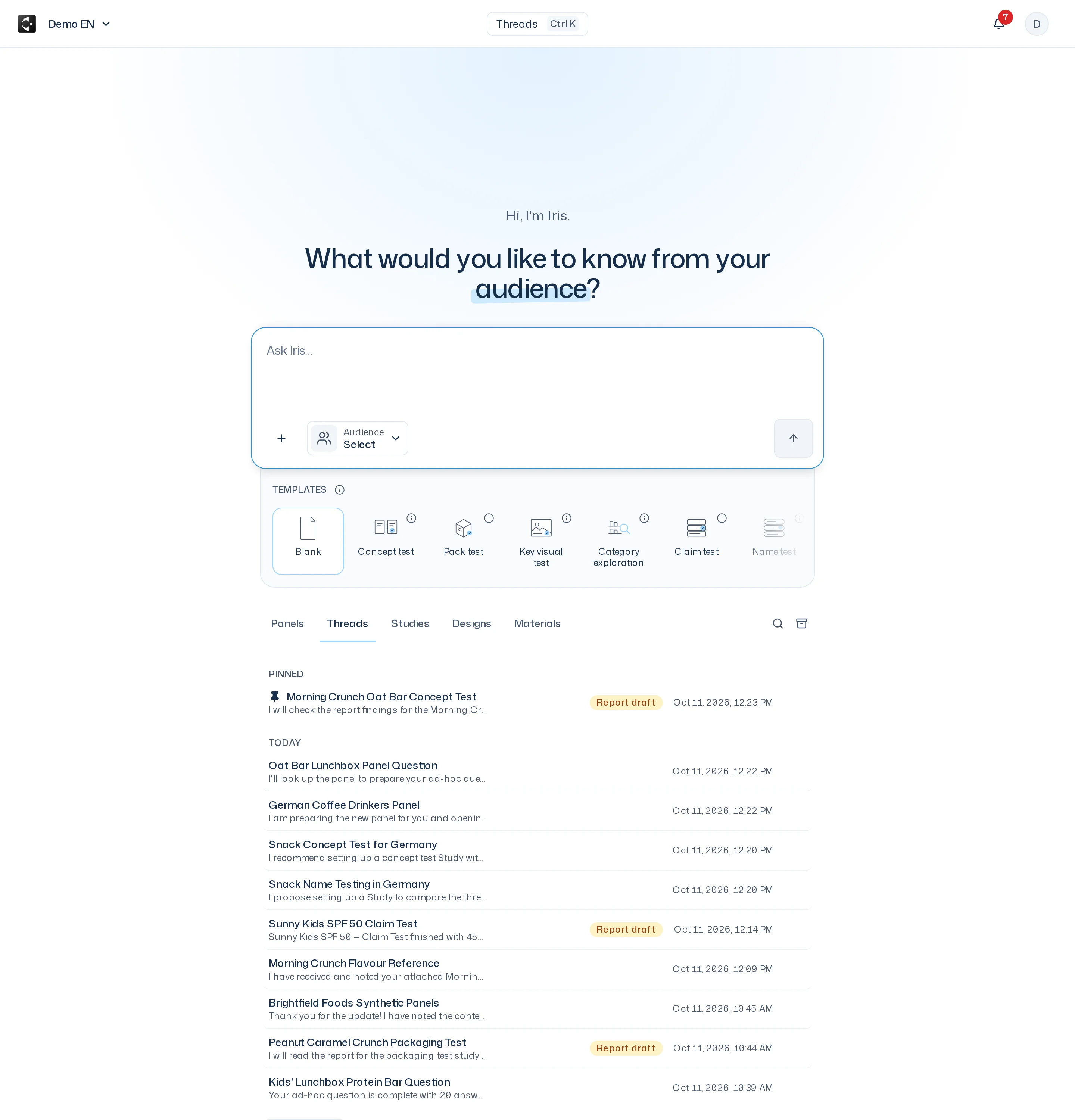
Thread names
A new thread is first named after the beginning of your first message. After the first answer, Iris gives it a short, more fitting name. If you renamed it yourself, your name stays.
If the topic shifts during the conversation, choose Regenerate title. Iris then builds a new name from the first and the latest message.
Pin, rename, archive
In the Threads tab, open the Thread actions menu on a thread or right-click it.
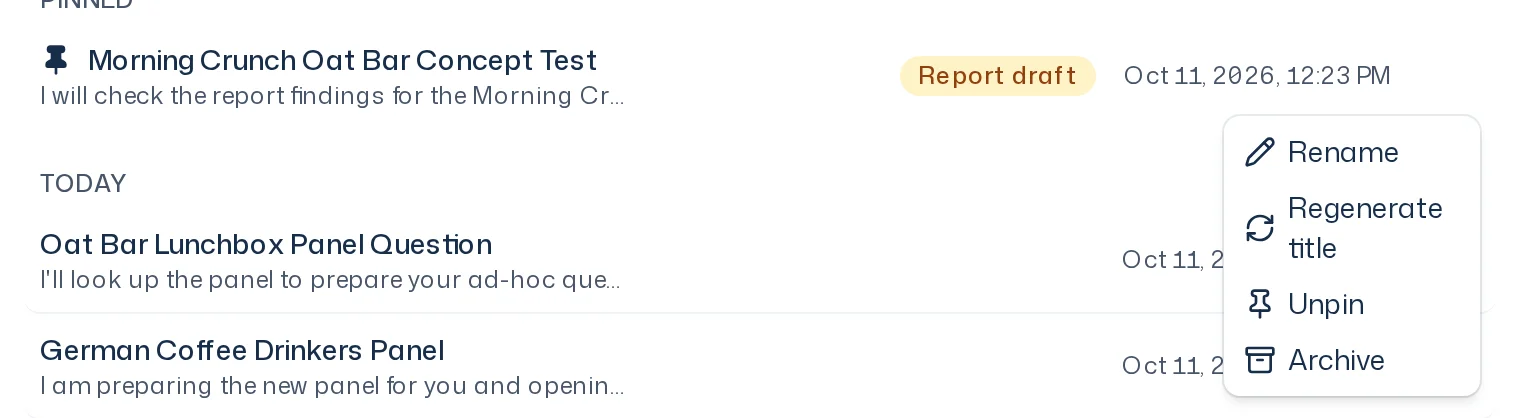
- Rename: enter a name with up to 40 characters.
- Regenerate title: Iris suggests a new name and applies it.
- Pin / Unpin: keeps a thread at the top of the list.
- Archive: moves a thread out of the list without deleting it. An archived thread loses its pin.
- Restore: brings an archived thread back. You see archived threads through the Show archived threads filter.
Threads can't be deleted. Archiving is enough to keep the list short. Studies from an archived thread stay as they are.
The queue
If you write while Iris is still working, your message isn't lost. It shows as Queued in the thread and runs as soon as Iris is done. Up to three messages can wait. When the queue is full, the thread says The queue is full. Wait until Iris has worked through a message.
- Remove takes a waiting message out again.
- Paused means the message won't run on its own, for example because your access was interrupted in the meantime. Continue sends it off.
When a turn fails
Occasionally Iris can't finish an answer. The thread then shows This turn failed. with three options:
- Retry repeats this turn. The conversation so far is kept.
- Skip drops the turn, and the next waiting message gets its turn.
- Clear queue discards all waiting messages. The app asks Clear the queue? first.
Until you decide, no further message runs in this thread.