

Export
Download the crosstab and the raw data.
From every finished report you can download two files: the crosstab with the counted results and the raw data with every single answer. Both are available in the Dock and on the study page.
Download
- Open the survey run's report.
- In the report head, click the download icon (Download).
- Choose Crosstab (CSV) or Raw data (ZIP).
The file always belongs to the version of the report you are looking at. If the report has changed in the meantime, for example because Iris added a chart, the app says Report has changed and reloads it. Download the file again afterwards. If the download fails, the app says Download failed and offers to try again.
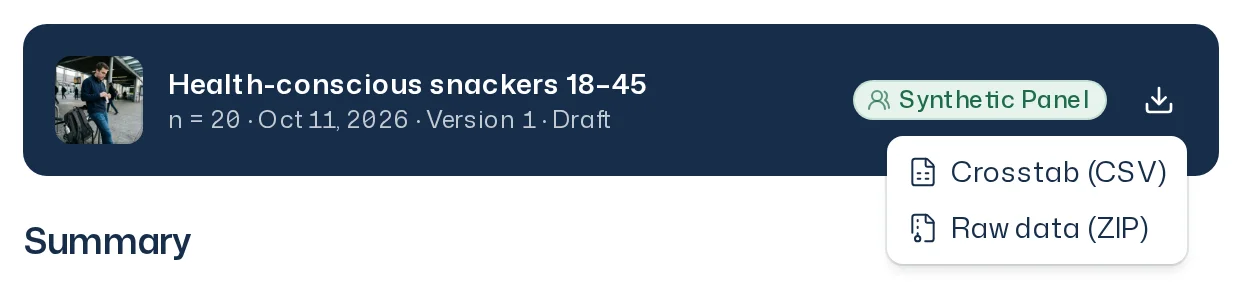
Crosstab (CSV)
The crosstab contains the figures the report shows, as a table for Excel, Google Sheets or an analysis tool. It covers the questions that appear in the report. Each row is one answer option of one question in one group.
- Scale and choice questions: first all respondents, then broken down by every attribute: age group, gender, region, education, employment, household size and personal net income.
- Open questions: one row per theme from the report, with the number of answers in that theme. For all respondents only, not broken down.
| Column | Contents |
|---|---|
question | The question text |
question_type | Question type |
attribute, bucket | Attribute and its value, total for all respondents |
option | Answer option or theme |
count, n, share | Count, base and share |
mean | Mean for scale questions |
Answers that failed for technical reasons are not part of n here either.
Raw data (ZIP)
The ZIP contains three CSV files:
| File | Contents |
|---|---|
data_matrix.csv | One row per respondent: sequential number, the seven attributes, short bio, personal traits and columns with the answer codes of the scale and choice questions. |
open_answers.csv | One row per answer to an open question: respondent, question code, attributes, the answer text and the themes the report assigns the answer to. |
codebook.csv | What the question codes (Q1, Q2 …) and answer codes mean, including the scale ends. |
Respondents are only numbered. An answer that failed for technical reasons is an empty cell.
File names
The files are named after the study and the field end, for example:
snack-bar-concept-test_2026-10-09_crosstab.csvsnack-bar-concept-test_2026-10-09_raw_data.zip
The study name is lower-cased, accented letters are simplified (é becomes e), and spaces and special characters become hyphens. The date is the day the survey ended.