

What's new
A study now has a goal that the summary aligns with. In the Dock, goal, background and survey runs sit together on one card. Settings have an overview with search and show what you can change.
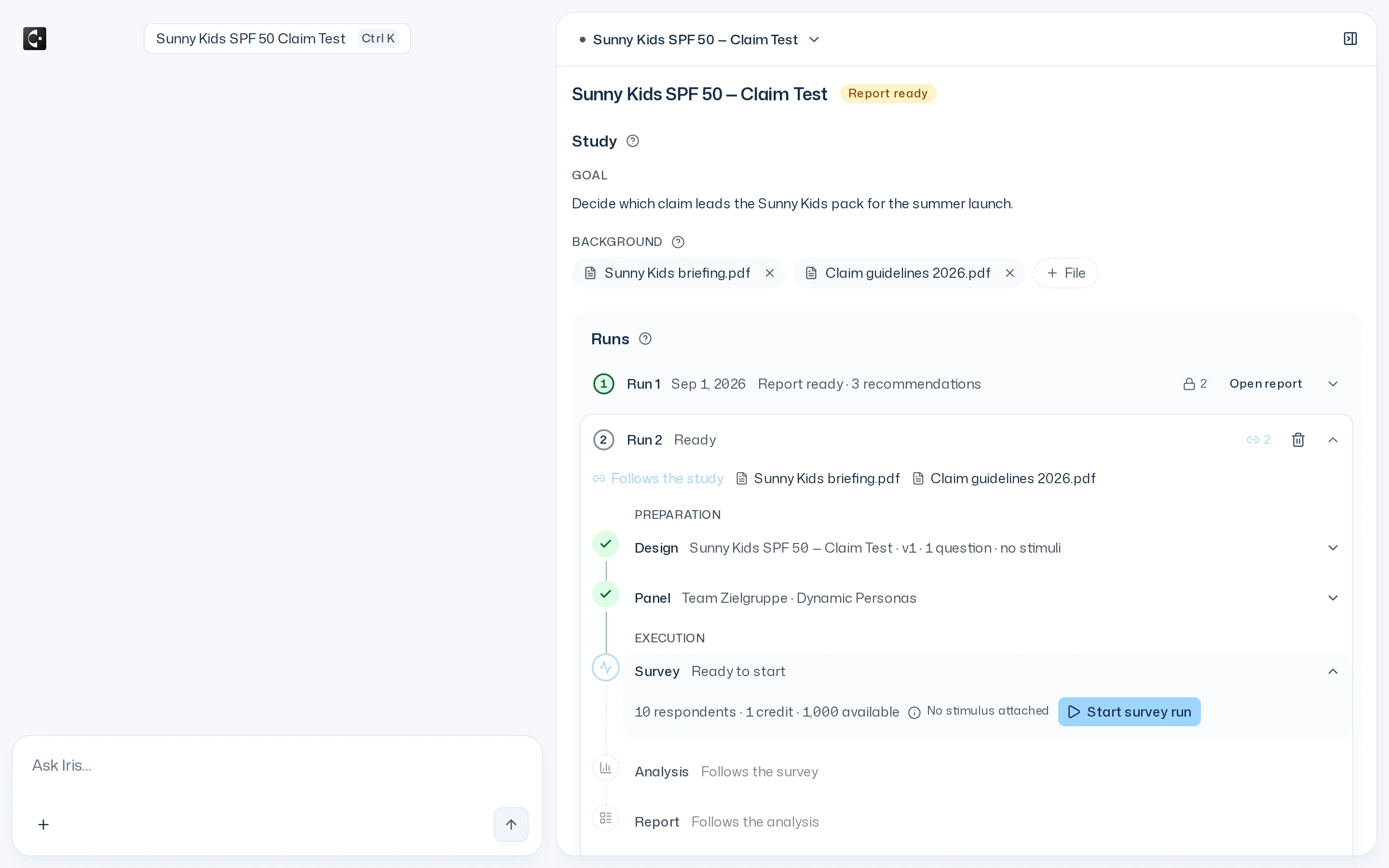
Goal and runs in one frame
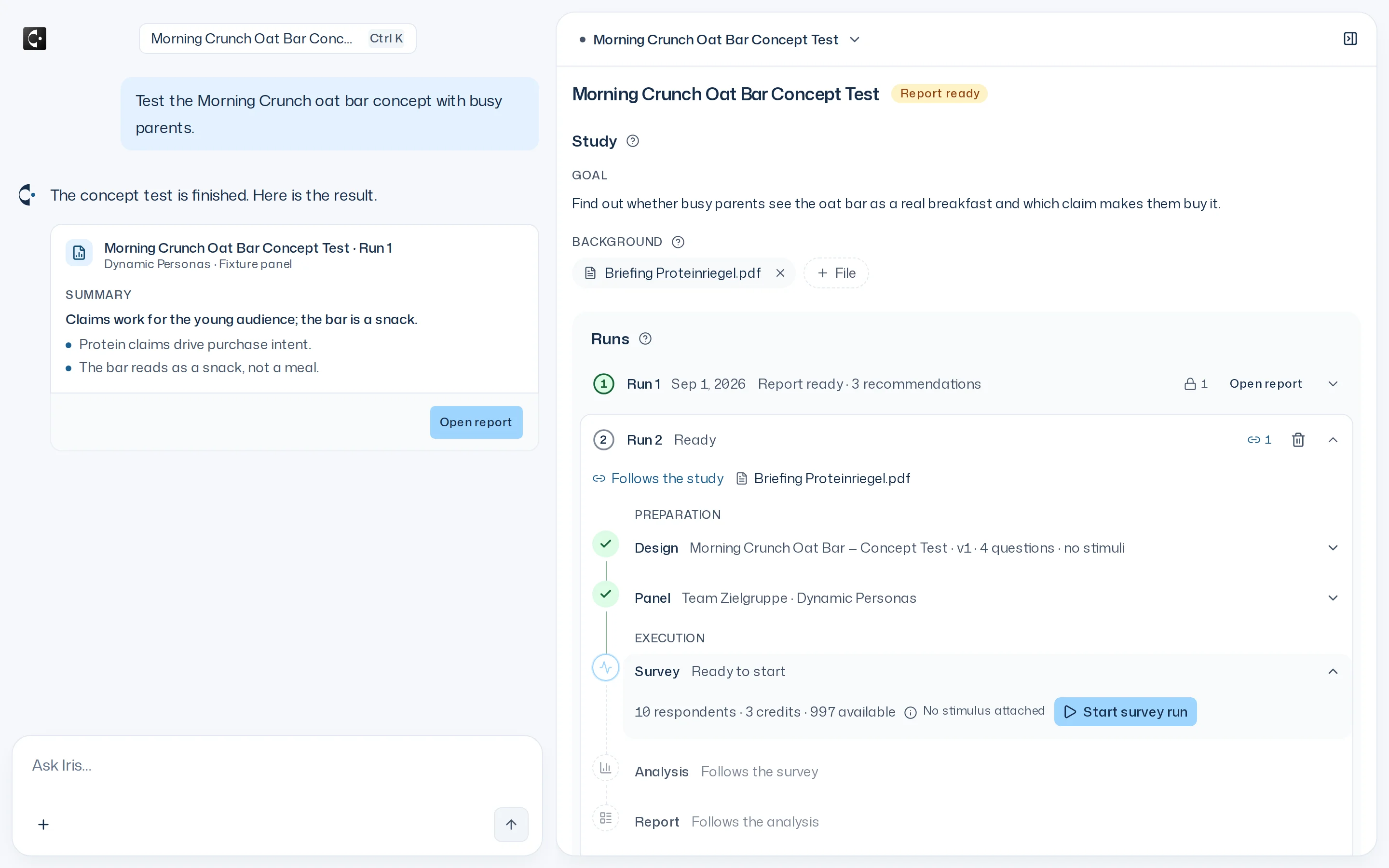
A study now has a goal: one sentence on the decision it should support. The summary aligns its headline and recommendations with it. In the Dock, goal, background and all survey runs sit on one card, with New run below.
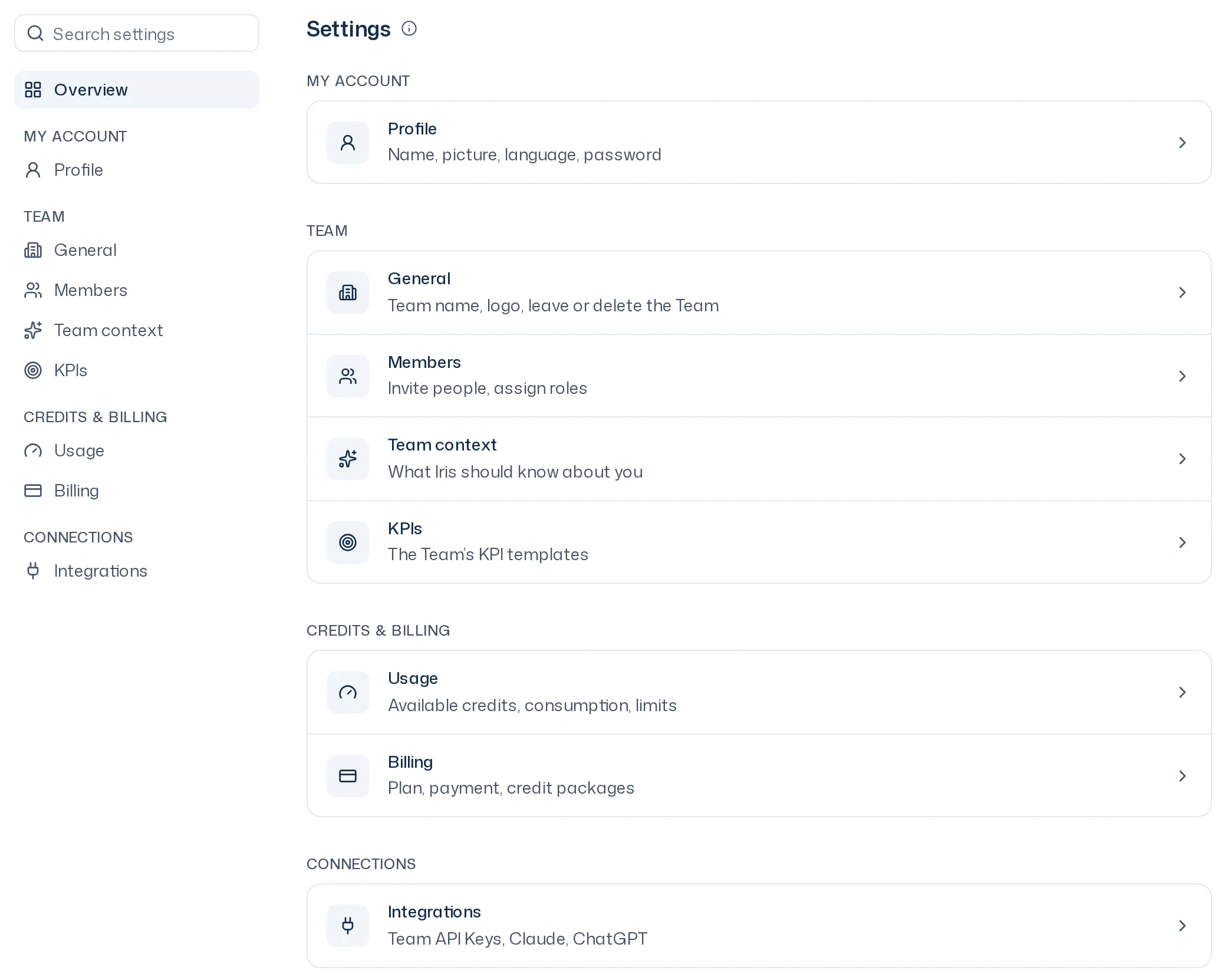
Settings with an overview
Settings now have an overview and a sidebar with search. Members, usage and billing live there too. Areas you can only view carry a lock, and a line names who can change them.
Iris now works with your PDFs: she reads attached files, searches the team's materials herself and answers with sources. A study can have PDFs as background that the analysis reads along. You connect Claude and ChatGPT to your team directly by signing in.
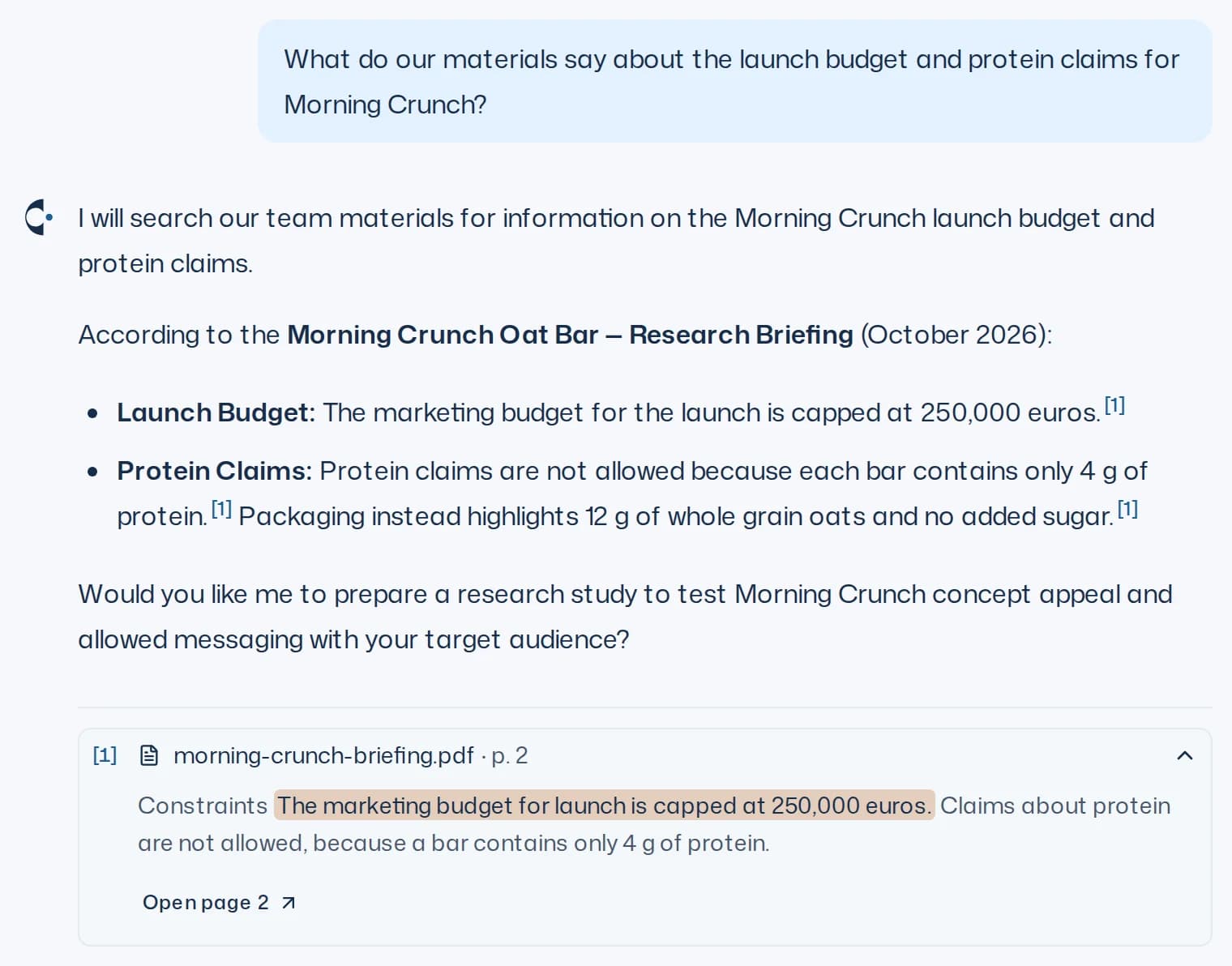
Iris reads and searches PDFs
Attach a PDF and ask about it: Iris reads it, also in later messages, and answers with sources. Without an attachment she searches the team's materials and your own files herself. With Save for the Team you make a file from the thread available to everyone.
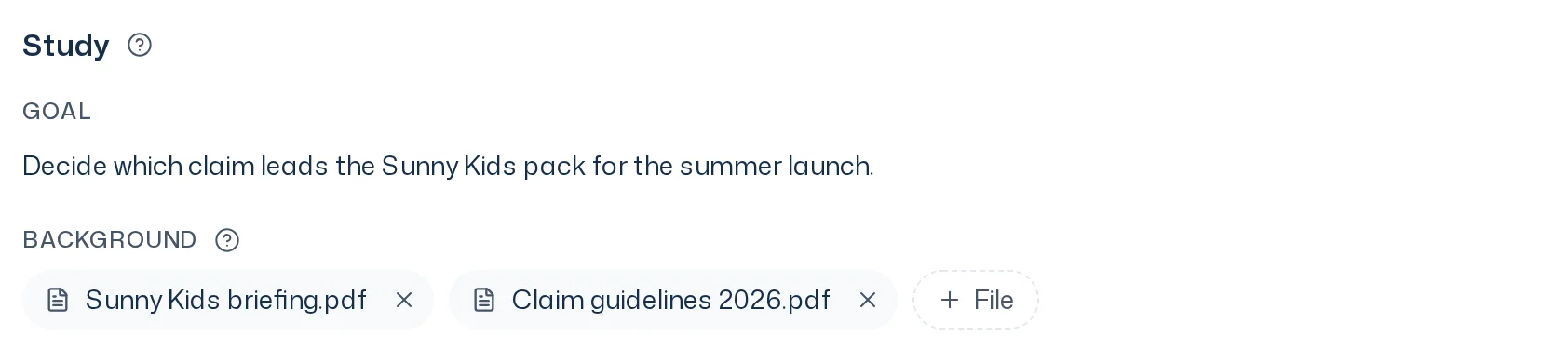
Background for studies
Give a study PDFs such as the briefing, a market study or the price list as background, on the study page or through Iris. The analysis reads the answers against this background, while findings and numbers still come only from the respondents' answers.
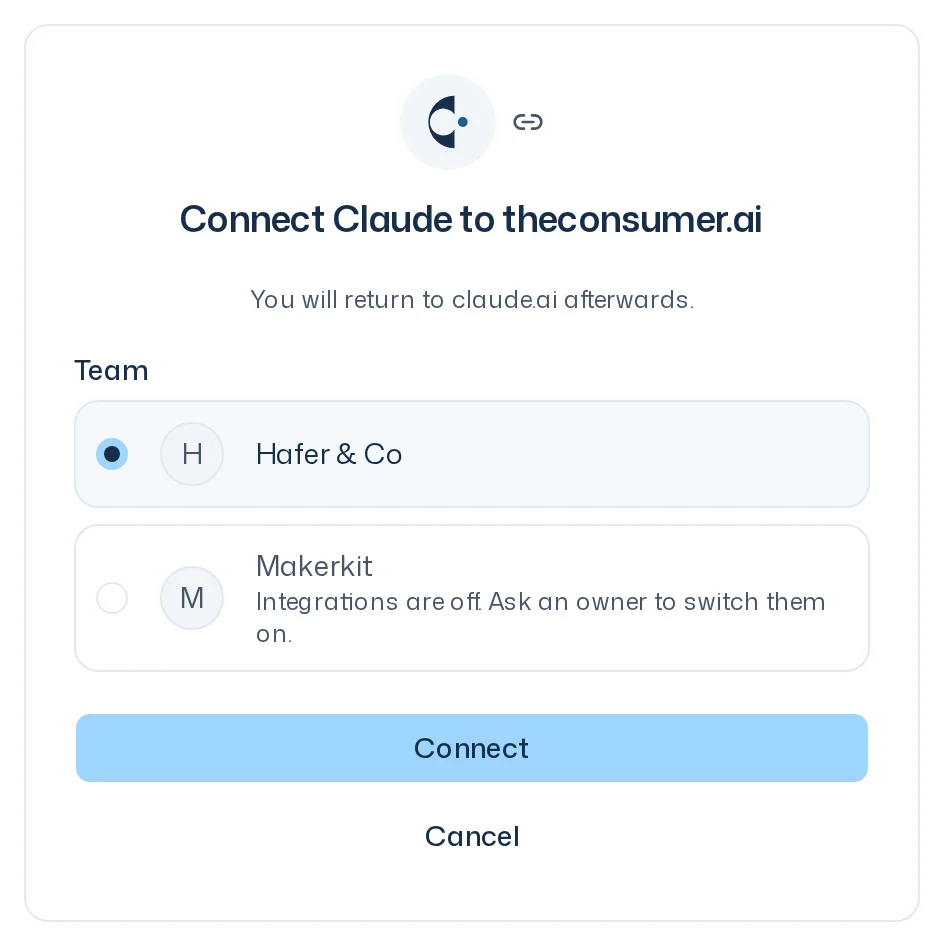
Connect Claude and ChatGPT
Connect Claude or ChatGPT to your team by signing in, no key needed. The app then works on your behalf with studies, designs and reports. You confirm launches, ad-hoc questions and cancellations in the browser as before.
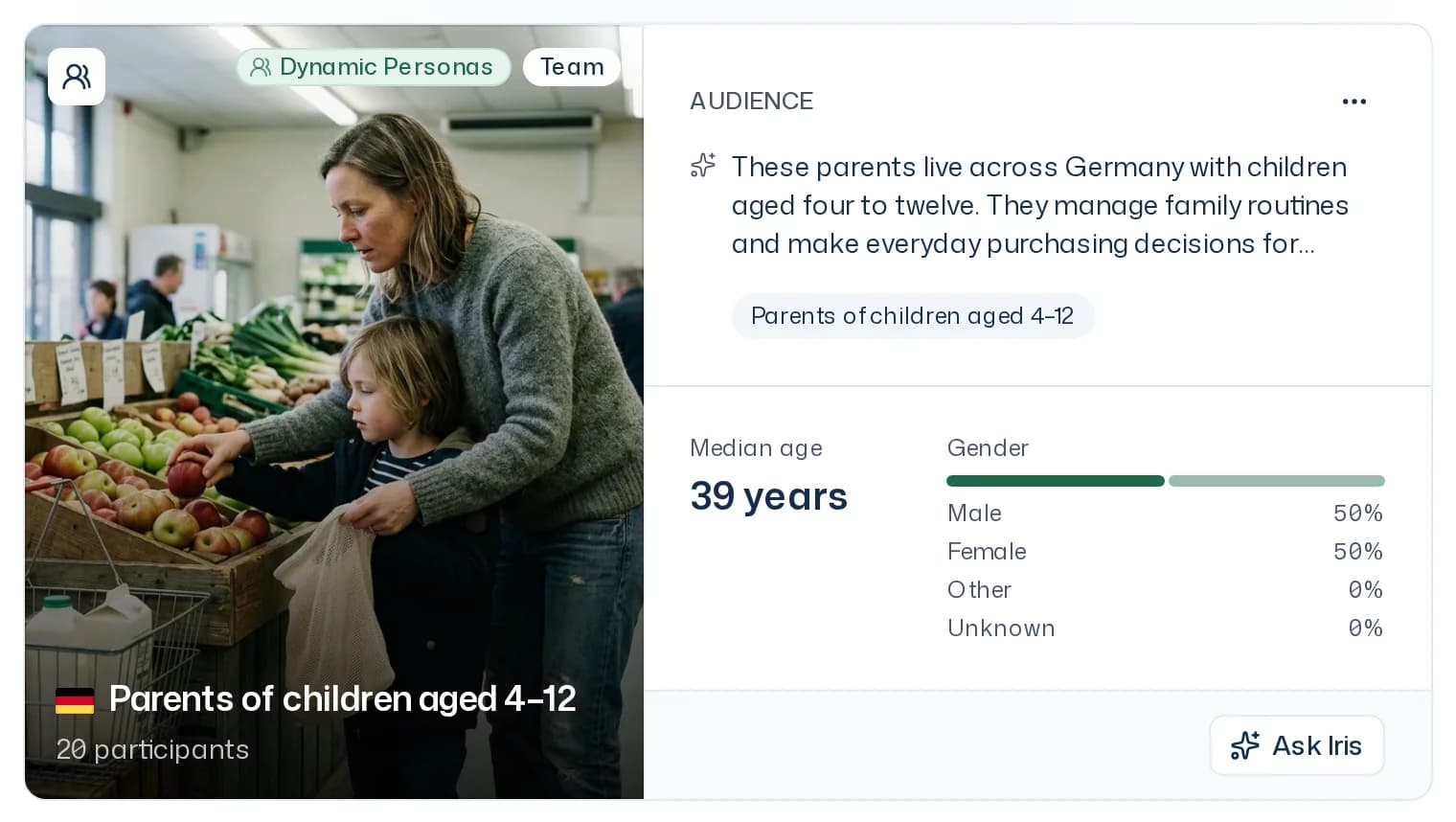
Dynamic Personas and Premium Twins
The panel types are now called Dynamic Personas, AI personas built from population statistics, and Premium Twins, replicas of real people who were interviewed in depth. Your panels and reports stay as they are.
This update changes every step of a study. You start with one of seven templates that come with a research question, questions and, for concept, pack and key visual tests, standard KPIs. While the study runs, you see its overview, design, panel and report in the Dock right next to the chat. You can add another survey run to the same study without starting over. At the end, the report shows the summary, KPIs, recommendations and questions as cards, and you download the crosstab and raw data in one click. If something is still unclear, ask a whole panel an ad-hoc question or keep talking to individual respondents for free. Teams get credit limits per member and a Team API Key for their own scripts and MCP tools.
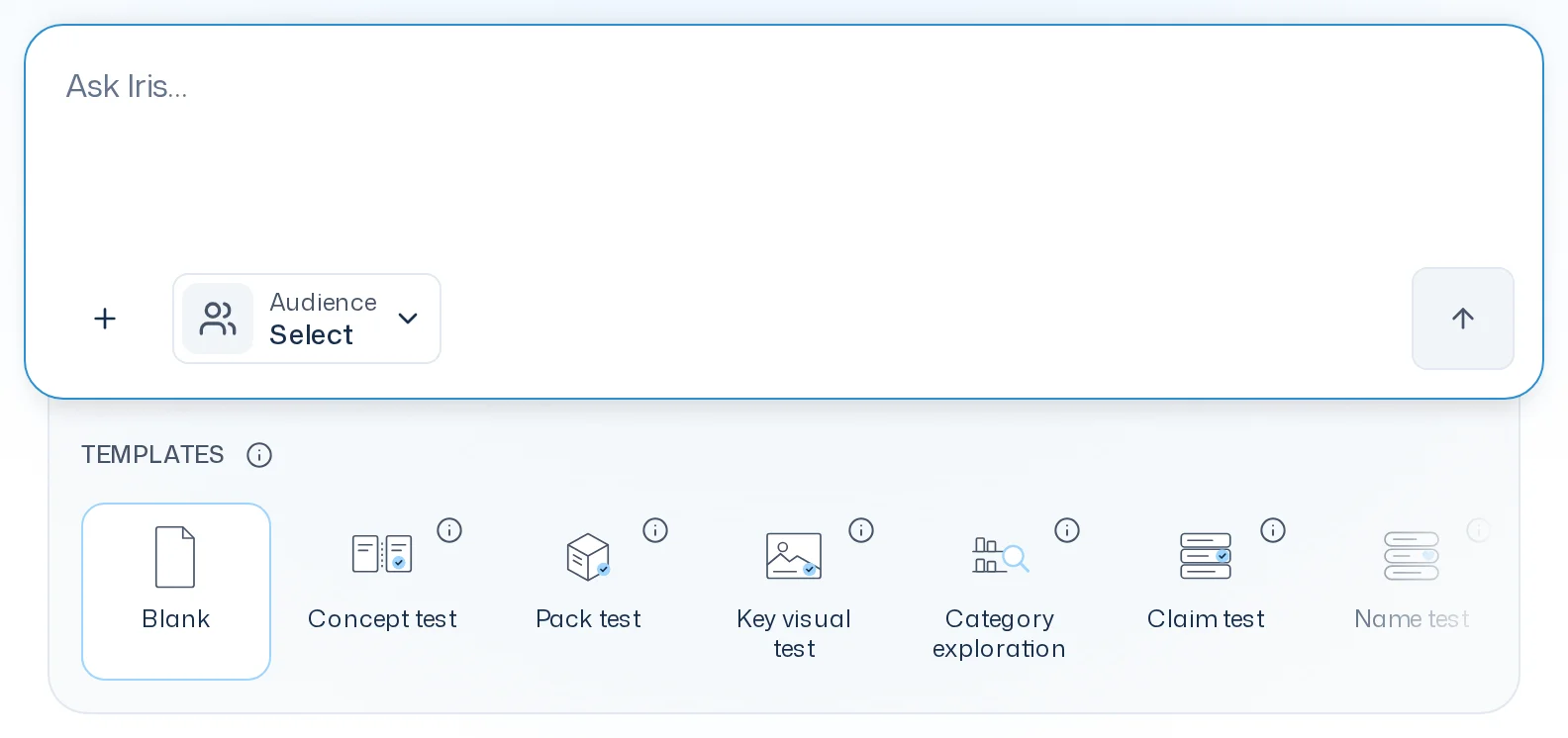
Templates and KPIs
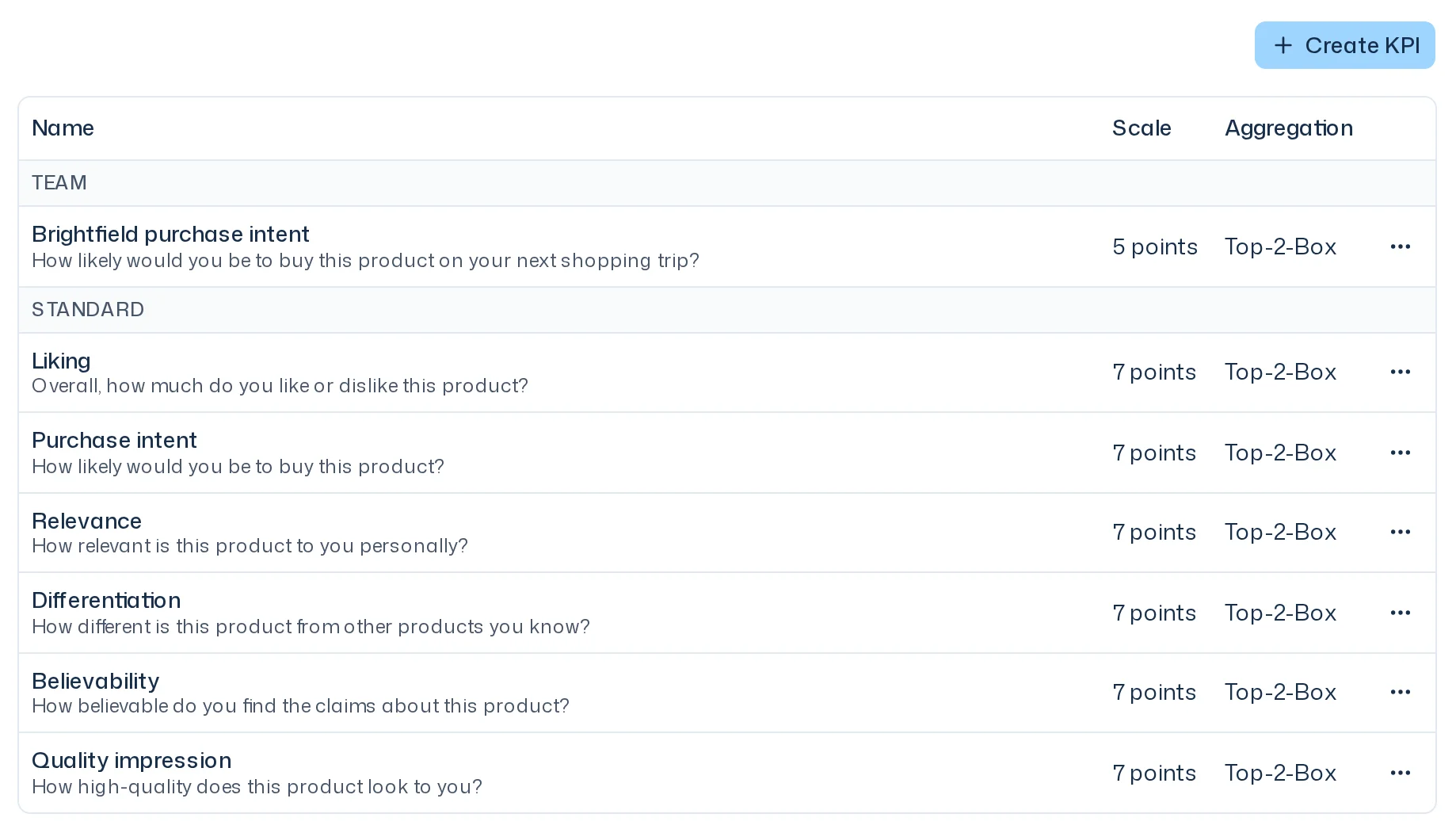
Seven templates for concept, pack, key visual, claim, name and variant tests plus category explorations come with a research question and questions, the first three also with standard KPIs. You keep your own KPI templates under Settings > KPIs, and each KPI appears as its own card in the report.
Study workspace in the Dock
You see a study's overview, design, panel and report in the Dock next to the chat and on the study page. "Another run" adds a new survey run to the same study, for example to test a second pack design.
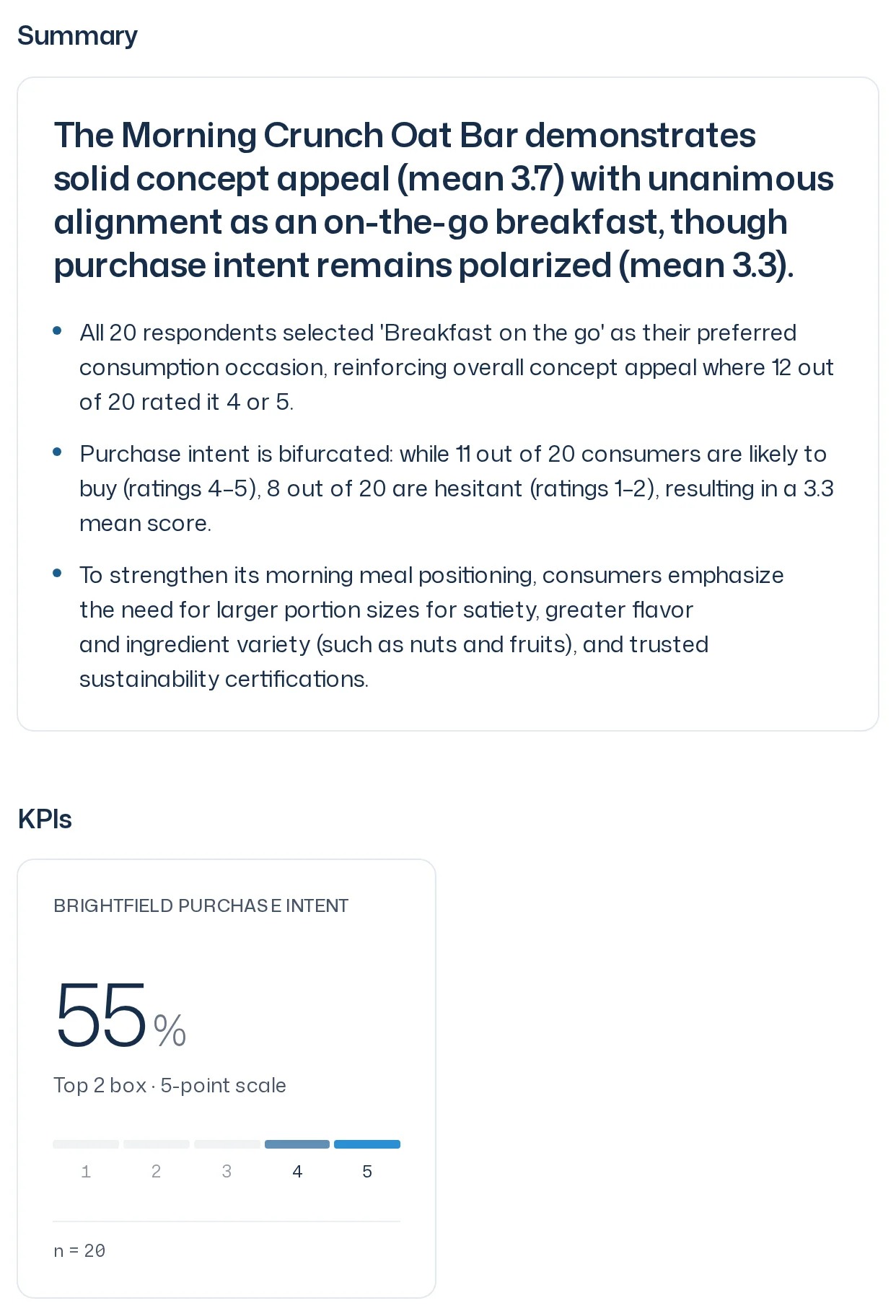
Report as cards with export
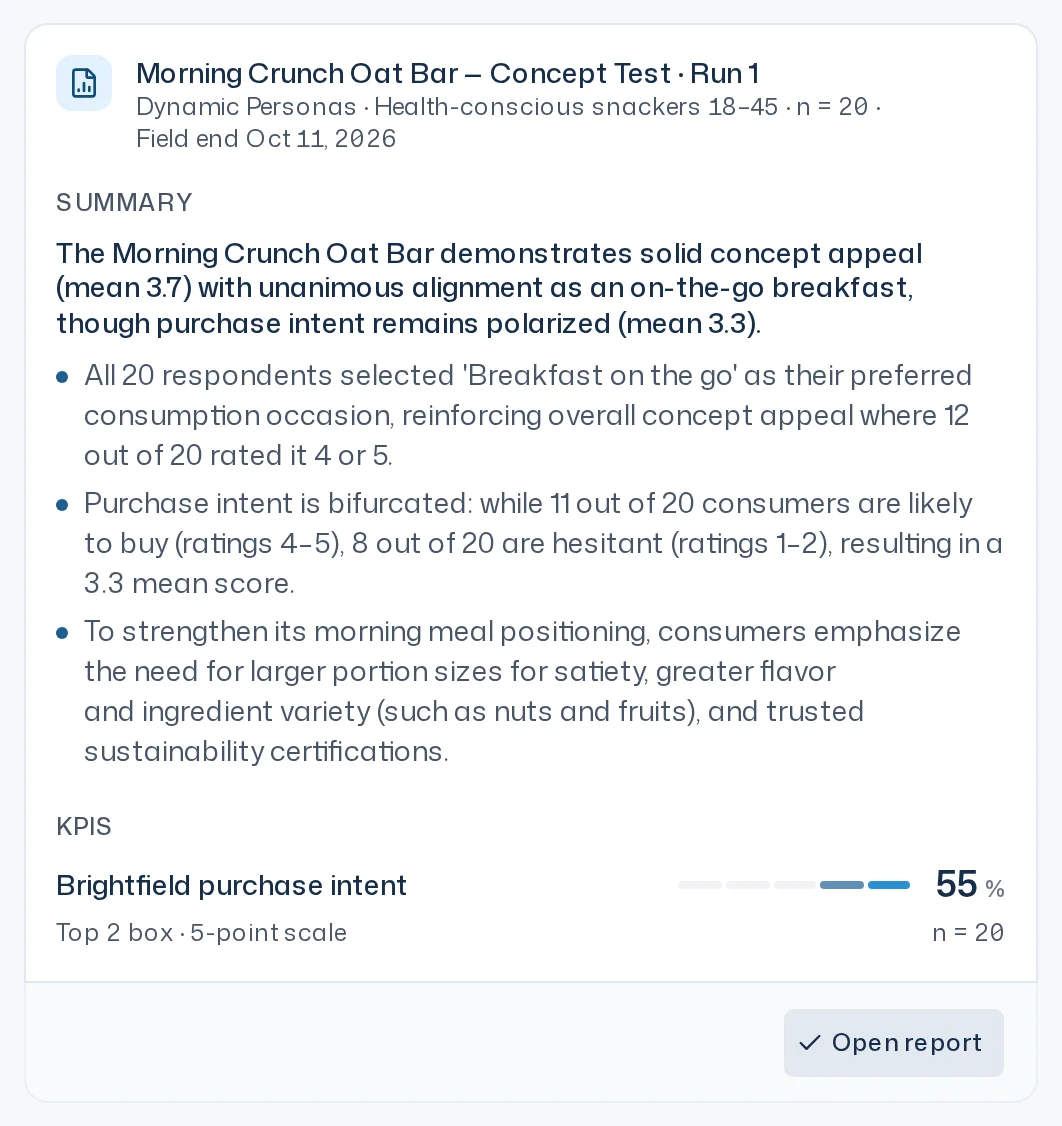
The report shows the summary, KPIs, recommendations and questions as cards. "Download" in the report head gets you the crosstab (CSV) and the raw data (ZIP).
Ad-hoc questions and recontact
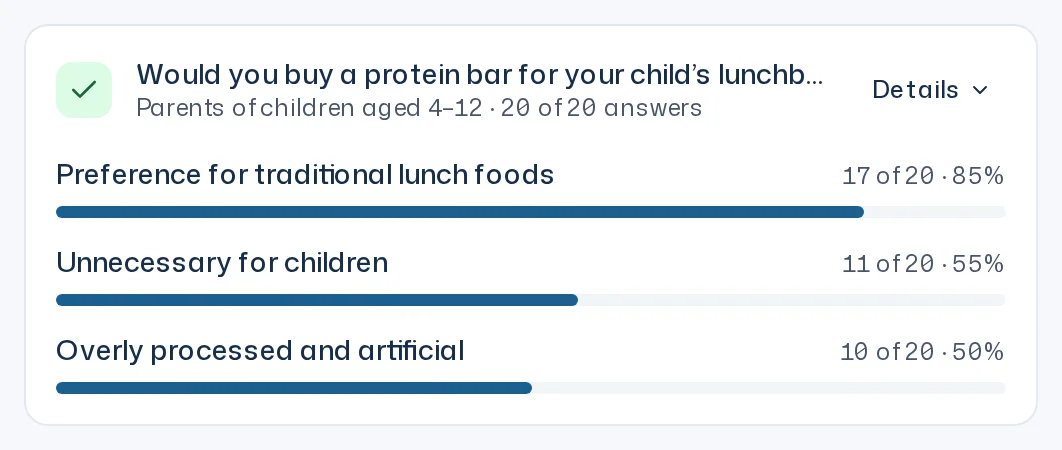
Ask a whole panel one open question straight from the thread and get the answers grouped into themes. You can keep talking to individual respondents in a free recontact.
New panel card
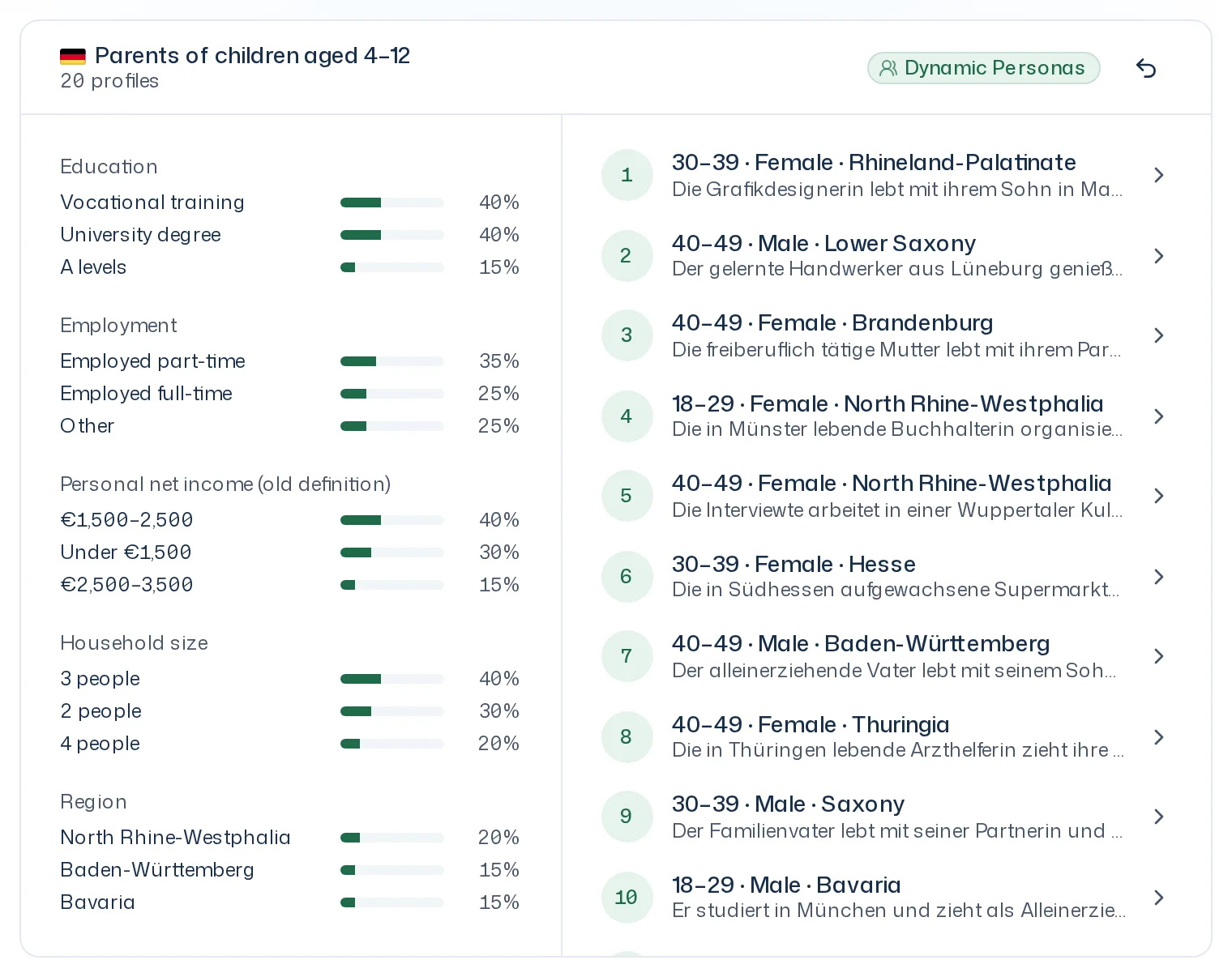
The front shows an AI-generated short description, the median age and the gender split. Flip the card to see the distribution by education, income and other attributes and to page through the individual profiles.
Iris threads
While Iris works, a status line shows the phase and latest steps, and "Stop" halts Iris after the current step. Threads get a fitting name after the first answer, and when a report is ready Iris posts a result message.
Team API Key: REST and MCP
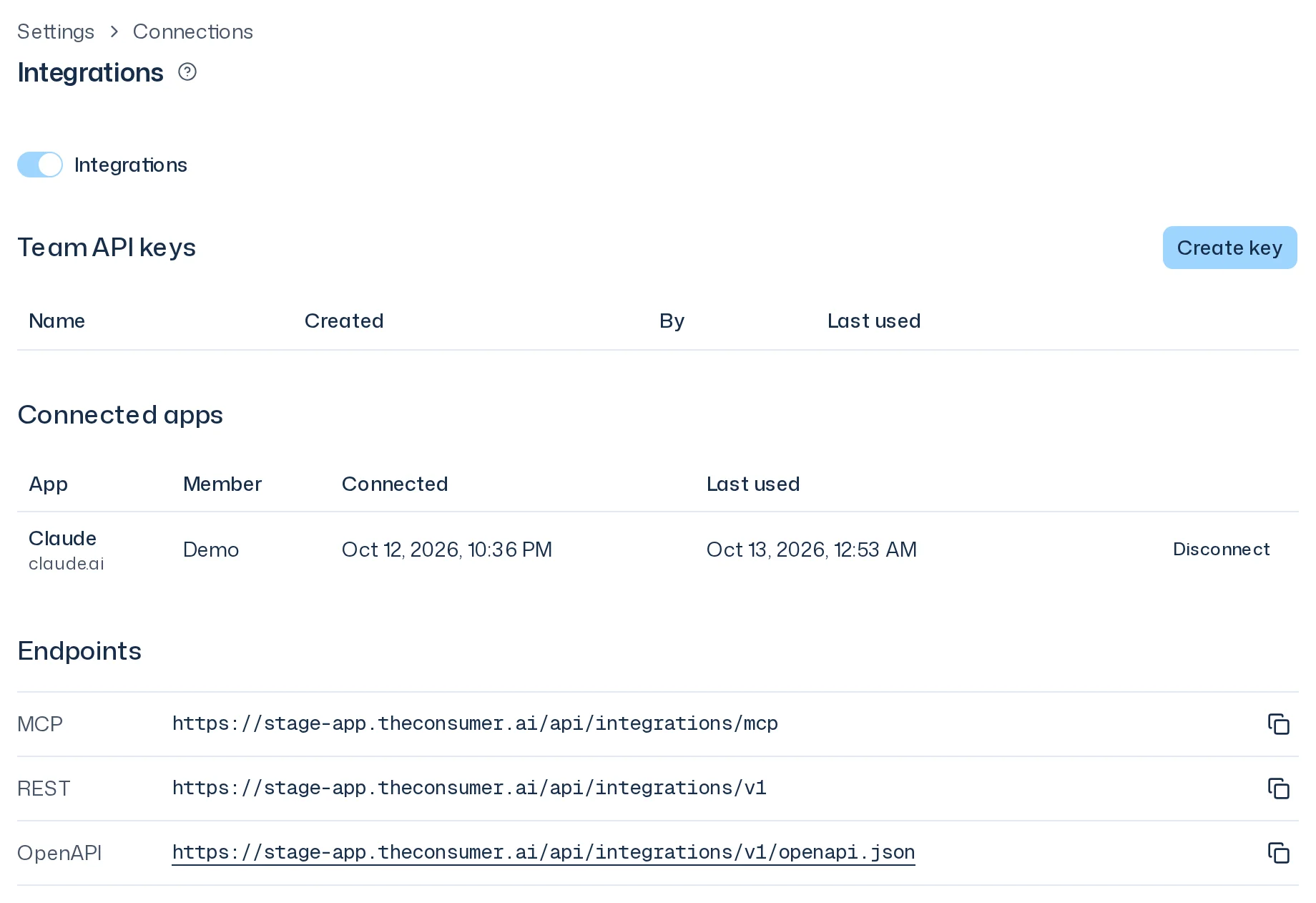
Owners create a Team API Key under Settings > Integrations, which lets your own scripts via REST and MCP-capable tools access the team's studies, designs and reports. Launches, ad-hoc questions and cancellations are confirmed by a member on a confirmation page in the browser.
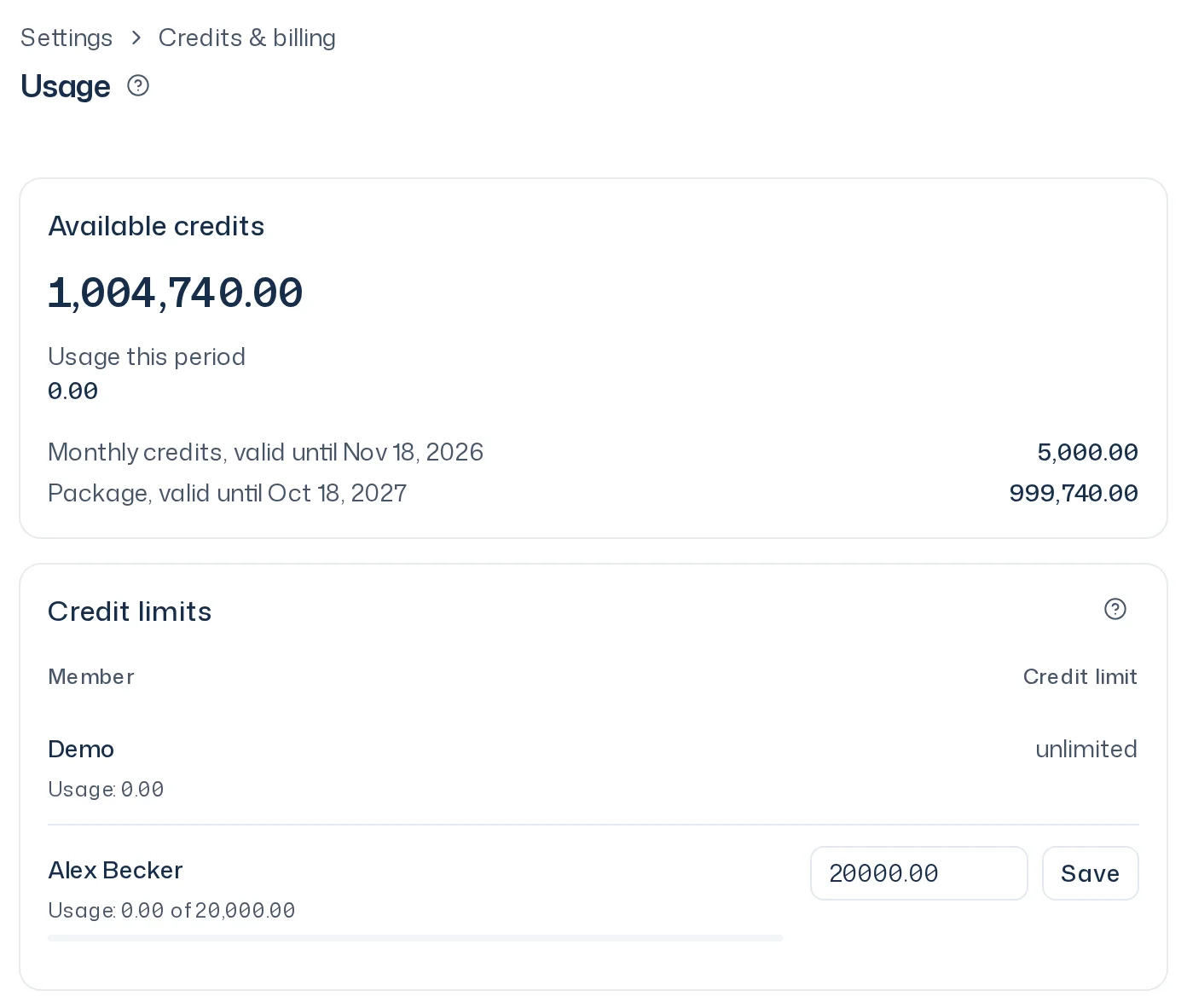
Credit limits and refunds
The Usage page shows your usage, and owners set a credit limit for each member there. If a survey run fails, all credits come back; if you cancel one, you only pay for respondents who finished.
Smaller improvements
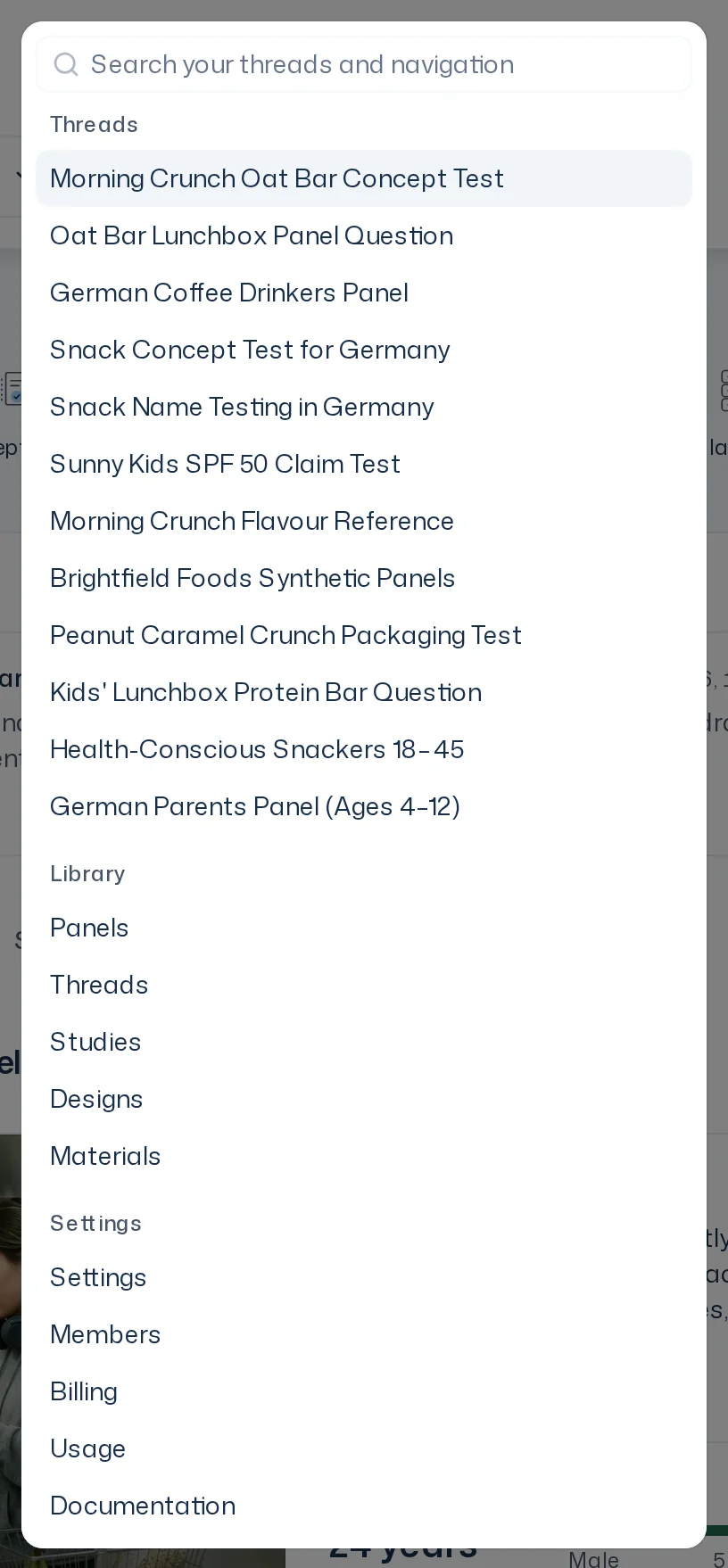
A finished survey run now shows the status "Report ready". Notifications stay unread when you open the list until you click them or choose "Mark all as read". The invitation email names who invites you to which team, and the home page has no sidebar: search with ⌘K.
User guide inside the app
The user guide now follows the steps of a study and has search at the top. Next to KPIs, credit limits, integrations and panels, a "?" opens the matching page in a new tab.
Bug fixes
Iris keeps mentioned objects and files you just sent in the conversation, and explains an outage while preparing instead of blocking the thread with an error card. Panel selection shows the actual criteria, and the panel size you name is preselected. Cancelled survey runs are refunded reliably, and labels are consistent throughout.